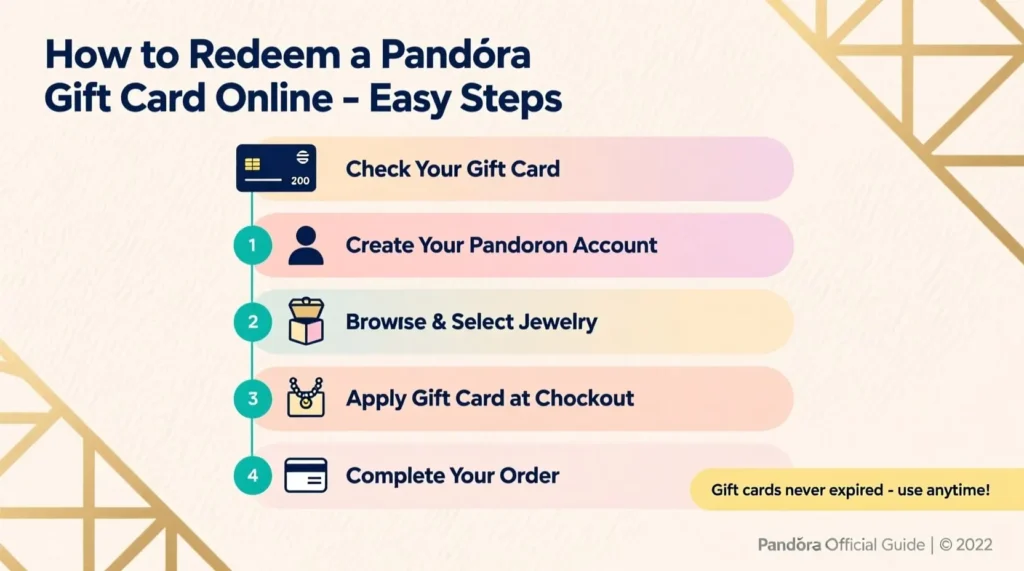

Getting a gift card is always exciting. You get to pick exactly what you want without any guessing games. If someone gave you a gift card for Pandora, you’re in for a treat. Pandora offers beautiful jewelry pieces that make any occasion special. The best part? You can use your Pandora gift card right from your couch. No need to drive anywhere or wait in long lines. The online redemption process is simple and takes just a few minutes.
In this guide, we’ll walk you through every step. By the end, you’ll know exactly how to use your gift card on the Pandora website. Let’s get started.
Understanding Your Pandora Gift Card Before You Start
Before jumping into the redemption process, take a moment to look at your gift card. You’ll notice a few important details on it. First, there’s the card number. This is usually a long string of digits printed on the front or back. Second, there’s a PIN code. Some cards have a scratch-off area that hides this PIN for security purposes.
Write down both numbers or keep them handy. You’ll need them during checkout. Also, check the balance on your card if you’ve used it before. Pandora lets you check your remaining balance on their website. Simply visit their gift card balance page and enter your details.
One more thing to note. Pandora gift cards don’t expire. So there’s no rush if you want to save yours for a special purchase later.
Creating Your Pandora Account
Having an account makes the whole process smoother. If you already have one, skip ahead to the next section. For everyone else, here’s what to do.
Go to the official Pandora website. Look for the account icon in the top right corner. Click on it and select the option to create a new account. You’ll need to provide your email address and create a password. Fill in your name and other basic details.
Why bother with an account? It saves your shipping information for future orders. You can also track your orders and view your purchase history. Plus, Pandora sometimes sends exclusive offers to account holders. It takes two minutes and saves you time later.
Browsing and Selecting Your Jewelry
Now comes the fun part. Start exploring the Pandora collection. You’ll find rings, bracelets, necklaces, earrings, and their famous charms. Use the menu at the top to browse different categories.
Not sure what you want? Try the filter options. You can sort by price, which helps if you want to stay within your gift card amount. You can also filter by material, color, or collection theme.
Found something you love? Click on the item to see more details. Check the size options if applicable. Read the product description to understand what you’re getting. Look at the photos from different angles.
When you’re ready, select your size or style and click “Add to Cart.” Want to keep shopping? Go ahead. You can add multiple items before checking out.
How to Apply Your Pandora Gift Card at Checkout
This is where everything comes together. Once you’ve added items to your cart, click on the cart icon. Review your selections to make sure everything looks right. Then proceed to checkout.
If you’re not logged in, do that now. Or you can check out as a guest. Enter your shipping address next. Double-check that everything is correct. A wrong address means delays or lost packages.
Now look for the payment section. You’ll see different payment options listed. Find the field for gift cards or promotional codes. It might say “gift card,” “promo code,” or something similar.
Enter your gift card number in the designated field. Then enter the PIN code. Click apply or submit. The system will verify your card and show the updated total.
If your gift card covers the full amount, you’re almost done. If your order costs more than your gift card balance, you’ll need to add another payment method for the remaining amount. You can use a credit card, debit card, or PayPal.
Completing Your Purchase
After applying your gift card, review the order summary one more time. Check the items, quantities, shipping address, and total cost. Make sure the gift card discount appears correctly.
Does everything look good? Click the button to place your order. You’ll see a confirmation page with your order number. Save this number. You’ll also get a confirmation email shortly.
Pandora will send another email when your order ships. This email includes tracking information. Use it to follow your package until it arrives at your door.
Tips for a Smooth Shopping Experience
Here are a few extra suggestions. Shop during sales to stretch your gift card further. Pandora runs promotions throughout the year, especially around holidays.
Sign up for their email list. You’ll hear about new arrivals and special offers first. This helps you plan your purchases better.
Keep your gift card safe until you’re ready to use it. Treat it like cash. If you lose it, recovering the balance can be difficult.
Using a Pandora gift card online is straightforward once you know the steps. You can shop from home, take your time choosing the perfect piece, and enjoy your new jewelry within days. Whether you’re buying something for yourself or picking out another gift, the process stays the same. Now that you have this guide, redeeming your gift card will be quick and easy.