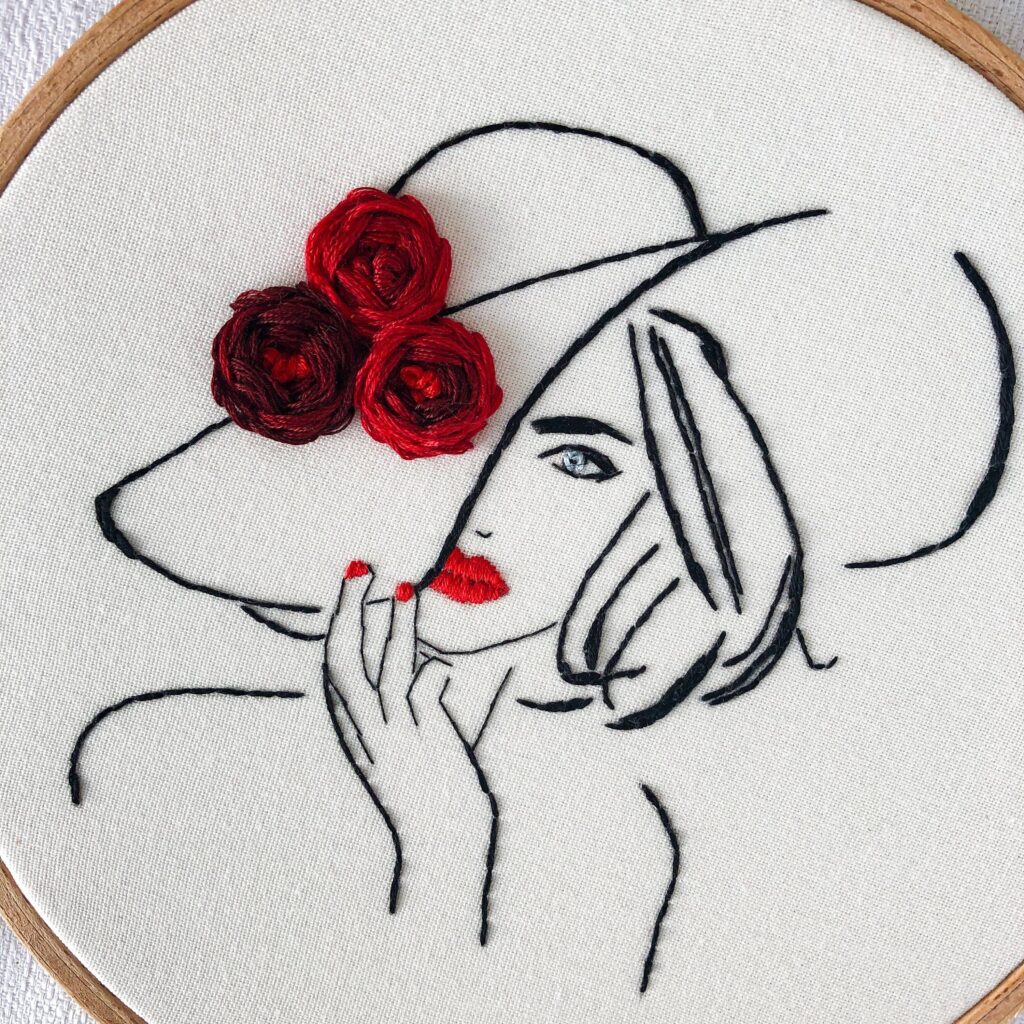

So, you’ve got a fantastic image—a clever logo, a beloved pet’s photo, or a stunning piece of artwork—and you’re dreaming of stitching it onto a hat, a bag, or a favorite jacket. You fire up your embroidery machine, ready to go, only to hit a digital wall: your machine doesn’t understand that JPG file. This, friend, is where the magical, and sometimes frustrating, world of file conversion comes in. Welcome to the essential beginner’s guide to understanding why you can’t just feed a picture to your embroidery machine and what it really takes to transform JPG to PES.
The Great Digital Divide: Image Files vs. Embroidery Files
Let’s start with the basics. A JPG (or JPEG) is a raster image file. Think of it as a digital mosaic made of millions of tiny colored squares called pixels. It’s perfect for capturing complex details like photographs and gradients. Your computer, phone, and printer all speak “pixel” fluently.
A PES file, on the other hand, is something entirely different. It’s a specialized embroidery format, most commonly associated with Brother embroidery machines. A PES file isn’t a picture; it’s a set of highly detailed instructions. It tells your embroidery machine a precise story: where to move the hoop, what color thread to switch to, the type of stitch to use (satin, fill, running), the stitch direction, and the exact order of operations. Converting a JPG to PES isn’t a simple translation; it’s a complete reconstruction from a visual map into a step-by-step sewing blueprint.
Why You Can’t Just “Convert” and Stitch
If you search online, you’ll find many free tools claiming to instantly “convert JPG to PES.” Beginners often get excited, upload their image, download the resulting file, and are then met with disappointing, chaotic results. Here’s why:
A JPG has no information about stitch types, thread paths, or density. An automatic converter essentially makes a series of guesses, often tracing the edges with a single run stitch and filling areas with a basic pattern that can lead to thread breaks, poor coverage, and designs that simply fall apart. Embroidery is a physical craft with real-world constraints like pull compensation, fabric stretch, and thread tension that a simple algorithm doesn’t understand.
The Real Hero: Digitizing Software
The true process of getting from a JPG to a stitch-ready PES file is called digitizing. This is where you, or a professional digitizer, use specialized software to manually create that instruction set. Think of it less like converting a file and more like crafting a new one from scratch, using the JPG as a visual reference or tracing guide.
Good digitizing software (like Wilcom, Hatch, Embrilliance, or Brother’s PE-Design) gives you the tools to:
- Trace and Outline: Manually draw the key lines and shapes of your design.
- Assign Stitch Types: Decide which areas will be a smooth satin stitch, a solid fill stitch, or a simple running stitch.
- Set Stitch Direction: Control the angle of the stitches, which affects the design’s texture, strength, and how light reflects off it.
- Establish a Sew Order: Plan the logical sequence of stitching, so the machine embroiders underlying layers first.
- Add Underlay: Create a foundation of stitches that stabilizes the fabric and helps the top stitches look crisp.
A Beginner’s Path to Your First PES File
As a newcomer, you have a few practical routes to take:
- Hire a Professional Digitizer:This is often the best first step. For a fee (typically $10-$50+ per design), an experienced digitizer will turn your JPG into a robust, stitch-ready PES file. They handle all the complexities, ensuring the design sews out correctly on your specific type of fabric. It’s an investment that saves you thread, frustration, and time.
- Learn Basic Digitizing Yourself:If you’re serious about the hobby, investing in beginner-friendly digitizing software is rewarding. Programs like Hatch Embroidery have “autodigitize” functions that are more advanced than free online converters. They provide a much better starting point that you can then manually tweak and improve. Expect a learning curve, but countless tutorials online can guide you.
- Use a Semi-Automated Service:Some online services blend automated conversion with human touch. You upload your JPG, specify some parameters, and a person reviews or edits the resulting file before sending it to you. This can be a good middle-ground between cost and quality.
Key Considerations Before You Digitize
Before you send off your JPG or open your software, keep these points in mind:
- Simplify Your Image: Highly detailed photographs with shadows and gradients rarely digitize well. Start with simple logos, bold line art, or images with clear, distinct color areas. A crisp, high-contrast JPG gives you the best starting point.
- Size Matters: Remember, you’re stitching with thread, not printing with ink. Small, intricate details may become impossible to sew clearly. Think about the final size of your embroidery and simplify accordingly.
- Know Your Machine: Ensure the digitizer knows you need a PES file (or the specific format for your machine, like DST for Tajima, EXP for Melco, etc.). Also, communicate your machine’s maximum hoop size.
Testing Is Non-Negotiable
Never stitch a new design directly onto your final project. Always, always sew out a test run on a scrap piece of the same fabric you plan to use, backed with the same stabilizer. This “proof” shows you exactly how the digitized design performs. Look for issues like puckering, gaps in fill stitches, or thread breaks. This test allows you to make adjustments in the software or go back to your digitizer with feedback.
Embroidery as a Craft of Patience
Transitioning from a digital image to embroidered reality is what separates casual crafters from dedicated embroiderers. It’s a process that blends art with technical skill. While the goal is to seamlessly transform JPG to PES, the journey involves understanding the language of your embroidery machine. For beginners, patience is your most valuable tool. Start simple, don’t fear outsourcing the technical work initially, and embrace the learning process. With each successful stitch-out, you’ll gain a deeper appreciation for the craft, moving from simply running a machine to truly creating with it.