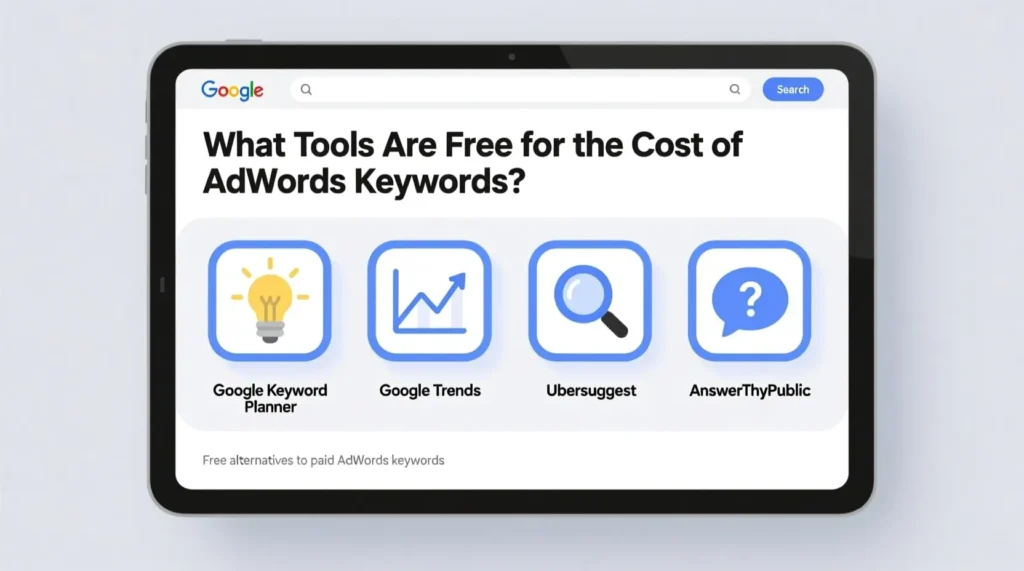

Running Google Ads without knowing what you’ll pay per click is like shopping without checking price tags. You might end up spending way more than you planned. That’s why smart advertisers research the cost of AdWords keywords before launching any campaign. The good news? You don’t need to spend money to find this information. Several free tools can show you exactly what keywords cost, helping you plan your budget and pick the right terms for your business.
Let’s look at the best free options available right now.
Google Keyword Planner: The Original Free Tool
Google Keyword Planner is the most obvious choice, and for good reason. It comes directly from Google, so the data is as accurate as you’ll get. You need a Google Ads account to access it, but you don’t have to run active campaigns or spend any money.
Once you’re in, you can enter any keyword and see estimated bid ranges. The tool shows low-range and high-range bids, giving you a realistic picture of what advertisers typically pay. You’ll also see search volume, competition level, and seasonal trends.
There’s one catch. Google shows broader ranges to accounts that aren’t spending money. Active advertisers get more precise numbers. Still, the free version gives you enough information to make informed decisions about your keyword strategy.
Ubersuggest: Neil Patel’s Free Keyword Tool
Ubersuggest started as a simple keyword suggestion tool. Now it offers cost-per-click data for free. You get three free searches per day without creating an account. Sign up for a free account, and you get a few more daily searches.
The interface is clean and easy to understand. Type in a keyword, and you’ll see the average CPC right away. Ubersuggest also shows SEO difficulty, paid difficulty, and search volume. The tool suggests related keywords too, which helps you find cheaper alternatives to expensive terms.
One helpful feature is the historical data. You can see how costs have changed over time for specific keywords. This helps you spot trends and predict future pricing.
Wordstream Free Keyword Tool
Wordstream offers a free keyword research tool that includes cost data. You enter your keyword and your industry, then provide your email address. The tool generates a report with CPC estimates and competition information.
The reports are detailed and include keyword suggestions organized by category. This makes it easier to find related terms you might have missed. Wordstream pulls data from multiple sources, giving you a broader view of the keyword landscape.
The downside? You’ll get marketing emails after using the tool. That’s the tradeoff for free access. If you’re okay with occasional promotional messages, this tool provides solid value.
H2: Understanding the Cost of AdWords Keywords Through Free Research
Knowing average costs isn’t enough. You need to understand why keywords cost what they do. Free tools help with this by showing competition levels and commercial intent.
Keywords with high commercial intent cost more. Someone searching “buy running shoes online” will pay more per click than someone searching “how to clean running shoes.” Free tools show you this difference through competition scores and bid estimates.
Seasonal factors matter too. Retail keywords spike during holidays. Tax software keywords jump in spring. Free tools with historical data help you plan around these fluctuations and budget accordingly.
Keywords Everywhere: Browser Extension Option
Keywords Everywhere used to be completely free. Now it operates on a credit system, but new users get free credits to start. The browser extension shows keyword data directly in your search results, which saves time.
When you search Google, you’ll see CPC, volume, and competition right below the search bar. This makes quick research simple. You don’t need to switch between tabs or log into separate tools.
The extension works on YouTube, Amazon, and other platforms too. If you advertise across multiple channels, this gives you helpful context about keyword costs everywhere you search.
SEMrush and Ahrefs Free Versions
Both SEMrush and Ahrefs offer limited free access. You won’t get full functionality, but you can check costs for a handful of keywords each day.
SEMrush lets you run 10 free searches per day through their main tool. Each search shows CPC data, competition, and related keywords. Ahrefs offers a free keyword generator that includes cost information for limited queries.
These tools provide professional-grade data. The free versions work well for small projects or occasional research. Heavy users will hit limits quickly, but casual researchers get genuine value.
Making the Most of Free Keyword Cost Tools
Combine multiple free tools for the best results. Each tool pulls data differently, so you’ll get a more complete picture by cross-referencing. If Google Keyword Planner says a keyword costs between two and five dollars, and Ubersuggest shows three dollars, you can feel confident about that range.
Focus on long-tail keywords when budgets are tight. These longer, more specific phrases usually cost less and convert better. Free tools help you find these gems by suggesting variations of your main keywords.
Check costs regularly. Keyword prices change based on competition, seasons, and market conditions. What cost one dollar last month might cost two dollars today. Regular research keeps your budget estimates accurate.
Understanding the cost of AdWords keywords before you start advertising protects your budget and improves your results. These free tools give you the information you need without any upfront investment. Start with Google Keyword Planner, add one or two other tools for comparison, and you’ll have a clear picture of what your advertising will actually cost.